From signal to executed trade
KingdomEdge Algo encodes the SurgeU 6-Step Surge Strategy into 4 proprietary TradingView indicators and a cloud bot that automates every step from chart to broker. Here’s exactly how it works.
The 6-Step Surge Strategy
Consistent profitability isn’t about a single magic indicator — it’s about a repeatable process that answers six questions in order, every time, before you risk a dollar. KingdomEdge Algo is built around the LifeSurge SurgeU methodology.
Curve / Channel Position
Where is price sitting inside its recent range — at the top, the bottom, or somewhere in the middle? Reversions from edges are higher-probability than chases through the middle. Setting the curve is the first decision before any other signal matters.
Powered by: Curve Analysis KingdomEdge AlgoTrend Confirmation
What direction is the market moving on the timeframe you’re planning to trade? Trading with the trend dramatically improves your odds. Trading against it is how accounts get blown up.
Powered by: Trend KingdomEdge AlgoZone Identification
Is there a historically respected supply or demand zone nearby? A fresh, untouched zone in the direction of the trend is where institutions defended price last time — and likely will again.
Powered by: Zone KingdomEdge AlgoScore the Trade
Does the setup actually have the odds in its favor? The 0–10 Odds Enhancer scorecard grades every potential trade across Strength, Time, Freshness, Trend, Curve, and Profit Zone — outputting HIGH (≥8), MED (7-8), or LOW (<7).
Powered by: SETS Trade KingdomEdge AlgoS.E.T.S. — Build the Plan
Stop, Entry, Target, Size. With the trade scored and approved, the indicator constructs the exact bracket: entry price, stop-loss anchored to ATR or zone, and three scaled take-profits at 1R / 2R / 3R off your risk distance.
Powered by: SETS Trade KingdomEdge AlgoPlace the Order
The TradingView alert fires a webhook to the cloud bot, which routes the signal to your broker account and places the full bracket order atomically. The bracket sits on the broker’s servers — protected even if your laptop closes.
Powered by: KingdomEdge Cloud BotFour Indicators. One Decision Pipeline.
Each indicator handles a distinct layer of the strategy — forming a sequential decision pipeline from market curve to automated execution. No signal fires without multi-layer agreement.
Curve Analysis KingdomEdge Algo
Where traditional Donchian Channels draw rigid lines, Curve Analysis wraps channel walls around price with ATR-driven curvature — expanding in volatile periods, compressing in consolidation. Price location within the channel defines the trade bias.
Trend KingdomEdge Algo
The foundation of every trade. Determines macro direction using five selectable methods and scores trend strength via R² coefficient. A Zero-Lag EMA layer validates bias across multiple timeframes before any signal is considered.
Zone KingdomEdge Algo
Institutional traders leave footprints in supply and demand zones. Zone KingdomEdge Algo identifies where large buyers and sellers previously committed capital — areas the market tends to revisit, react, and reverse.
SETS Trade KingdomEdge Algo
The execution layer. A 0-10 Odds Enhancer scorecard scores every potential signal across Strength, Time, Freshness, Trend, Curve, and Profit Zone. Confirmed signals are graded HIGH / MED / LOW. Builds the full bracket (Entry + SL + TP1/TP2/TP3) and fires the alert.
Every Trade is Bracket-Protected
When a SETS Trade signal fires, the cloud bot translates it into a full OCA-linked bracket order on your broker account — entry, stop-loss, and three scaling take-profits, submitted atomically. Here’s the round-trip in four stages, with live screenshots from a real trade.
TradingView
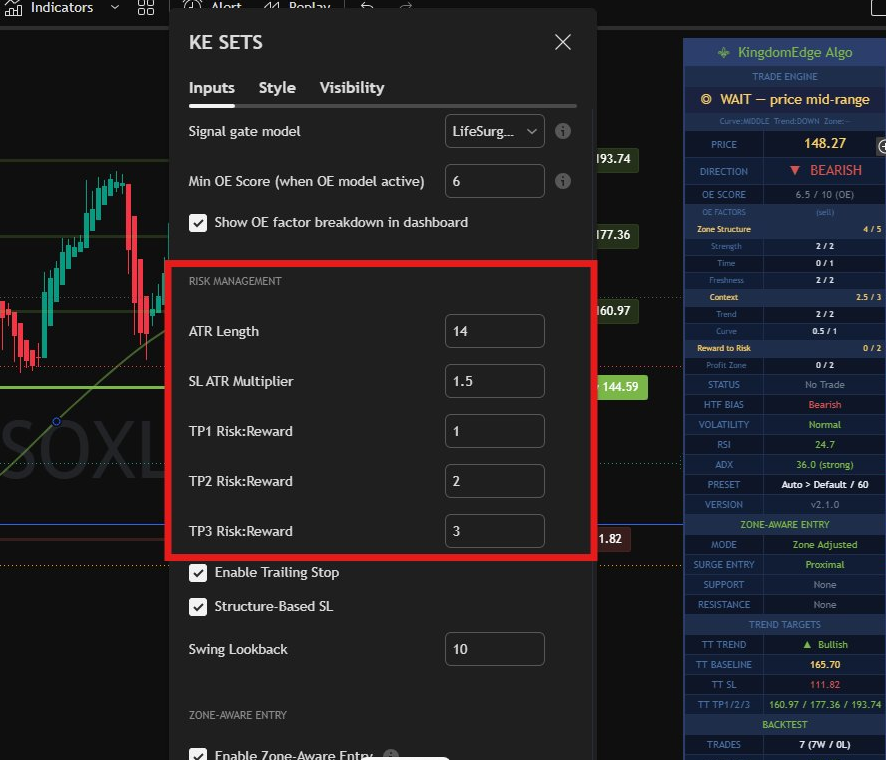
The KE SETS indicator runs on your chart with your chosen preset, timeframe, and risk multipliers. Nothing fires until your settings produce a confirmed signal.
Pine calculates
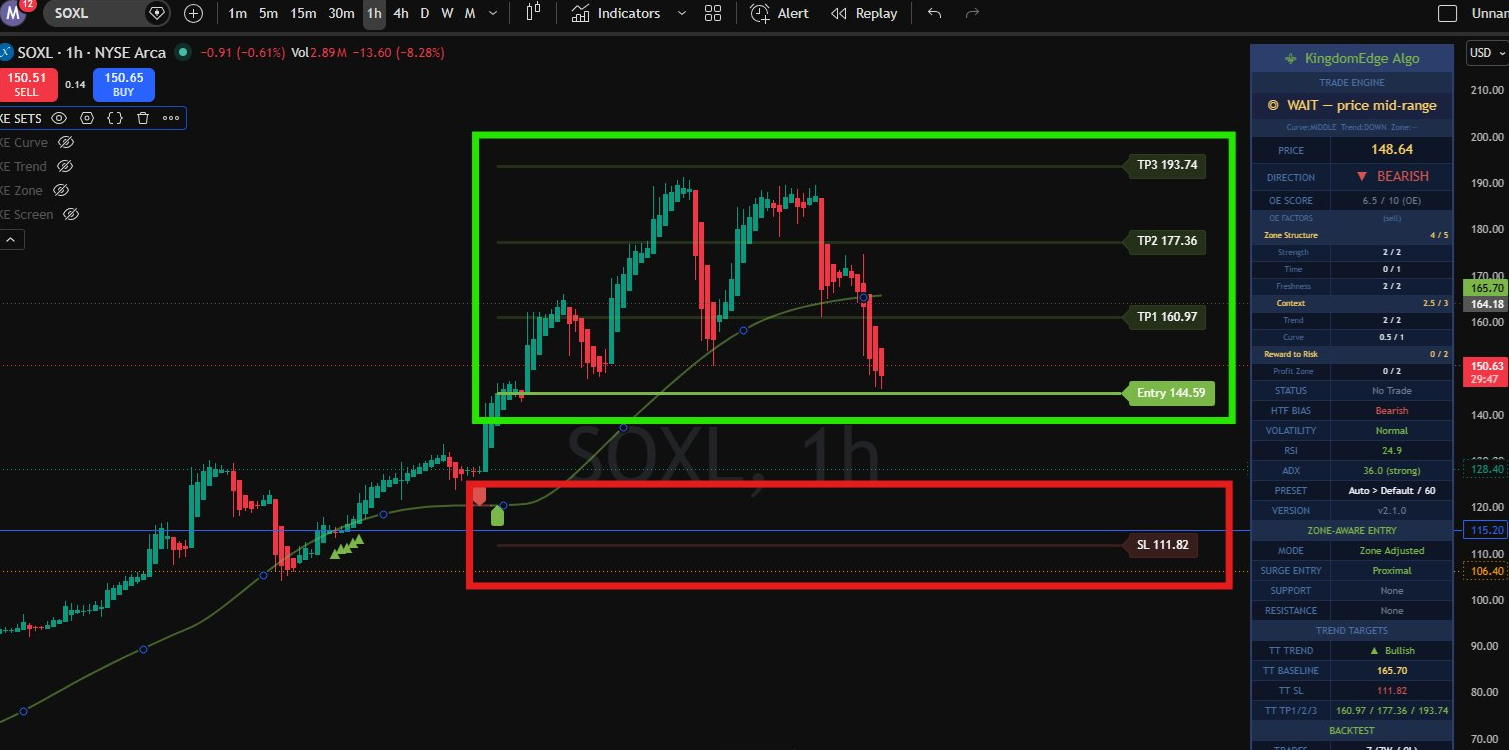
When a signal fires, Pine snapshots ATR and zone context and computes exact SL and TP prices. All four levels appear on your chart before the bot acts.
Cloud Bot
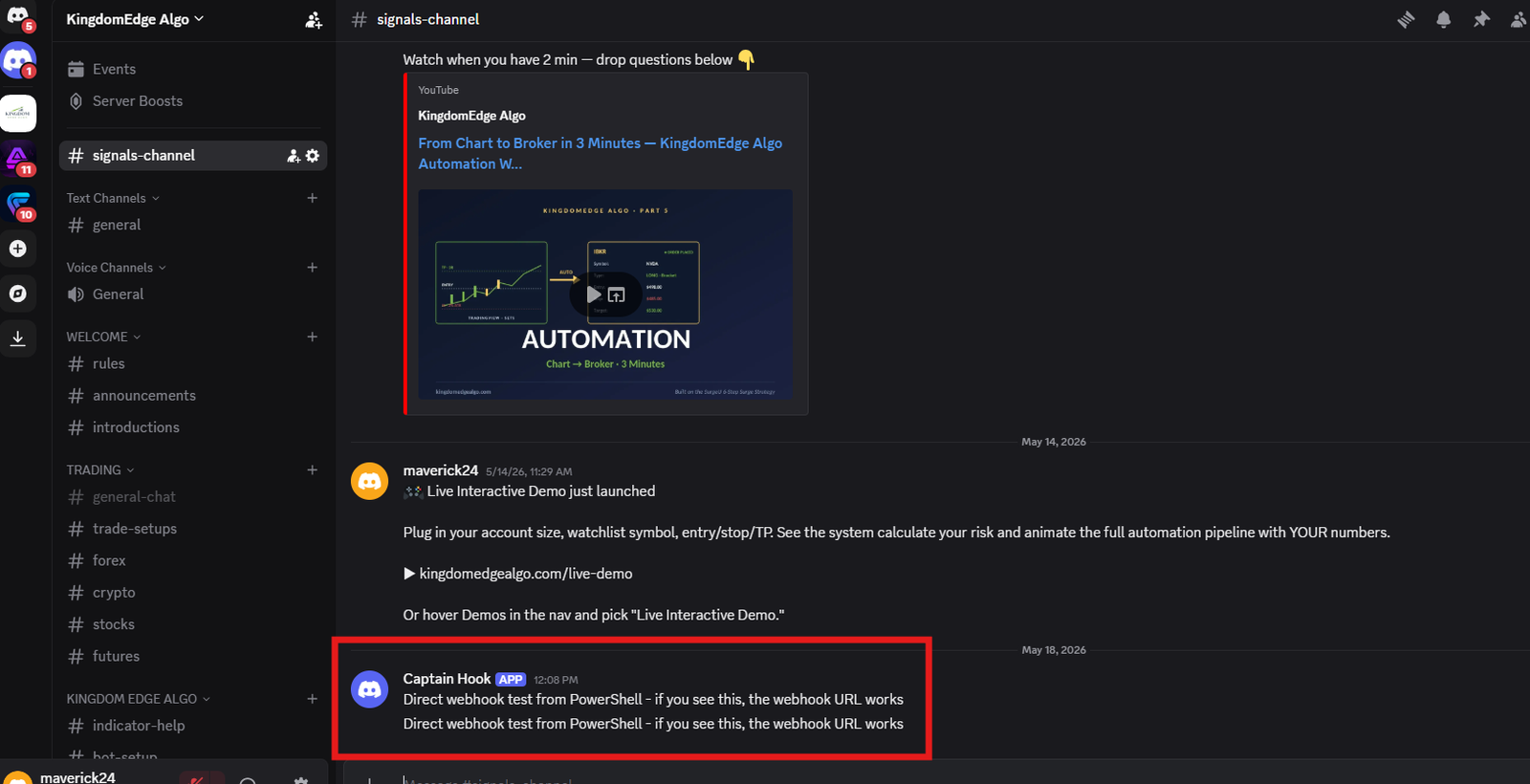
Pine fires a JSON webhook to the cloud bot on Railway. The bot validates the secret, opens a connection to YOUR broker account, and posts a confirmation to Discord.
Bracket Order
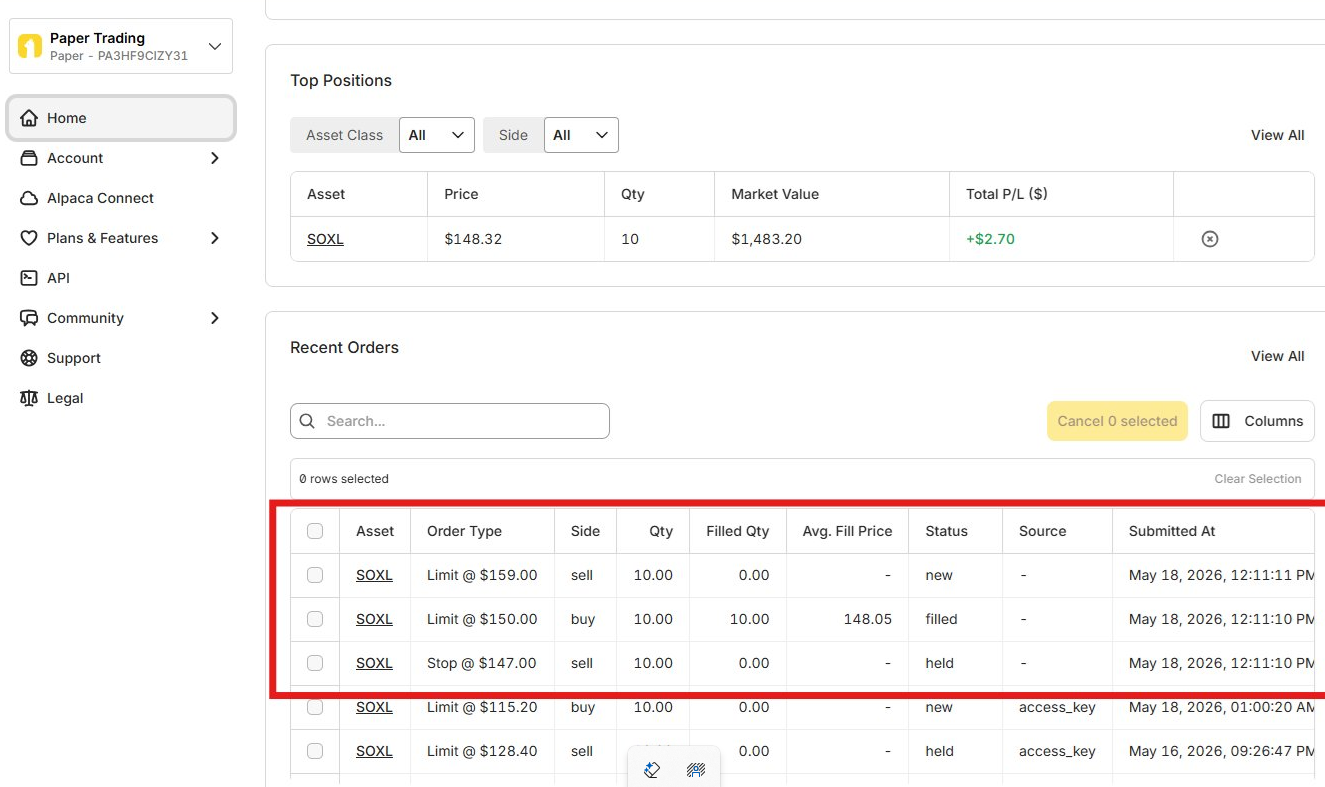
Entry + Stop-Loss + 3 Take-Profit legs submitted atomically as a single OCA group. If any leg fills, others auto-adjust. The bracket lives on the broker, not the bot.
Stop-Loss Calculation
Take-Profit Calculation
OCA Protection
Ready to trade with an edge?
KingdomEdge Algo is currently invitation-only for SurgeU students. General access opens Q4 2026.
Join the Notify List →