Know what to trade next.
A scored, ranked list of setups every day — and a bot to execute the ones you trust.
Six steps. In order. Every trade.
The methodology behind every setup we score - watch the full walkthrough.
3 min . no account required
Not technical? We built this for you.
You don't need to know Pine, code, or JSON. If you can log into a broker, you can run Trding.ai. Two things make it possible.
Wizard walkthrough
Guided 5-step setup at trding.ai/onboarding. Screenshots, checkpoints, and copy-paste snippets. Nothing else needed.
AI chatbot & Library
Ask any setup question in the bottom-right chat. Every answer links to a Library page with screenshots. 24/7 · self-serve.
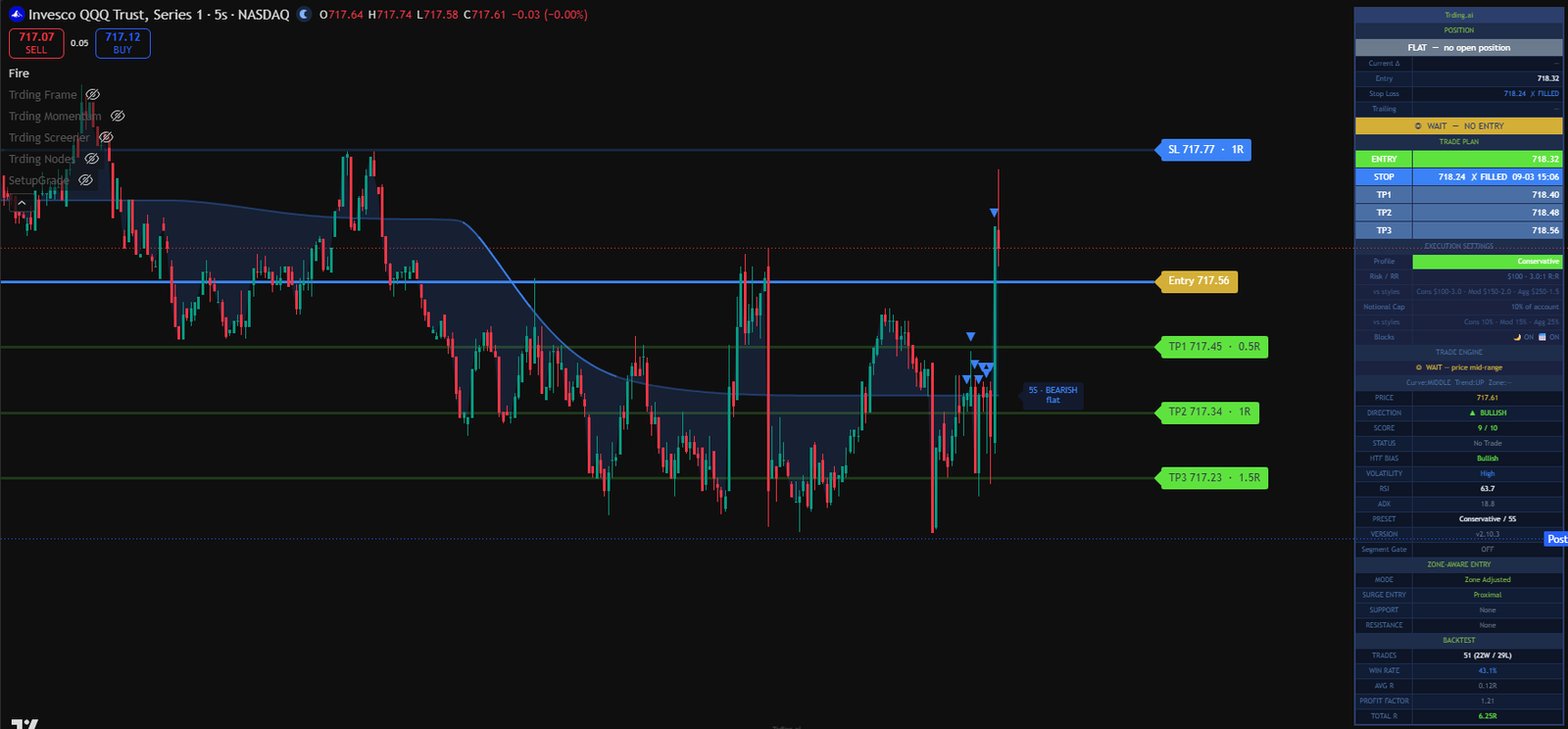
Even a ‘no’ is an answer.
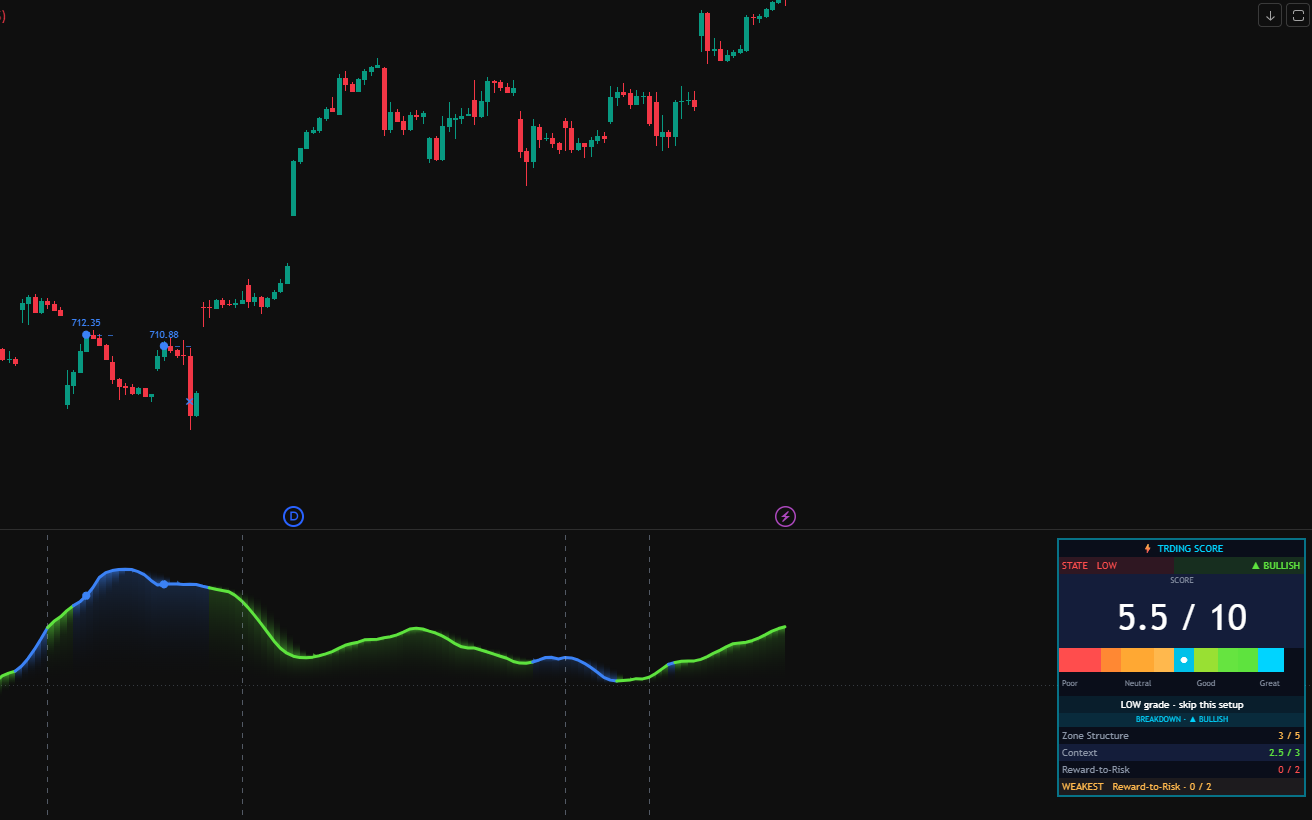
Every setup on the chart gets scored 0–10. Even when the grade is high, the system waits for the right entry. This QQQ setup scored 9/10 — but price was mid-range, not at zone. Trding.ai stayed flat — and told you exactly why.
Because a system worth trusting shows you the trades it didn't take.
Read the market. Get the signal. See it everywhere.
Six indicators work together — Frame and Momentum set the context, Nodes and Score grade the signal, Screener scans your whole watchlist, and Trding Fire turns HIGH-grade setups into automated trades for Ultimate members.
Read the market
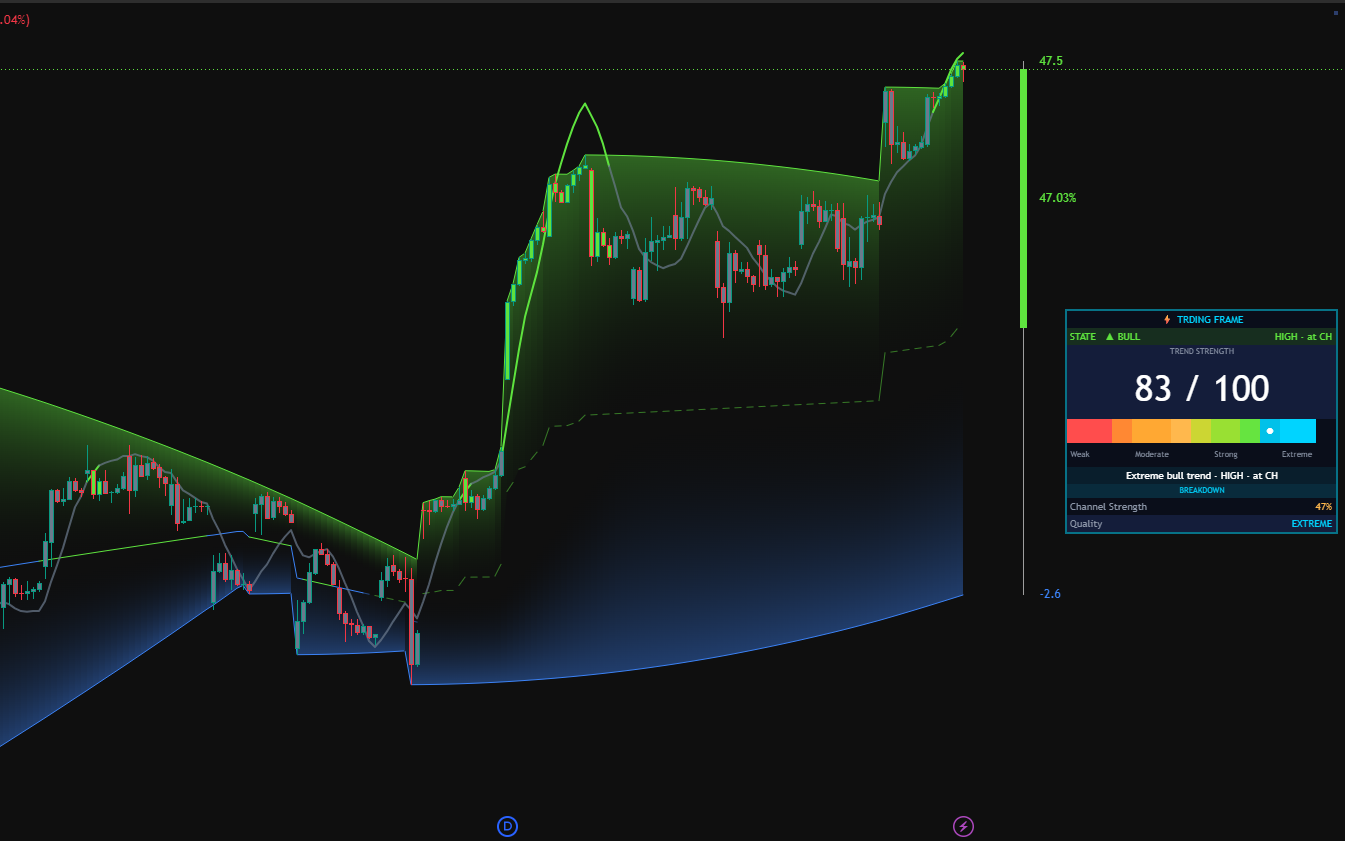
Trding Frame
Marks structural zones on your chart — the strength, freshness, and time-quality of every level.
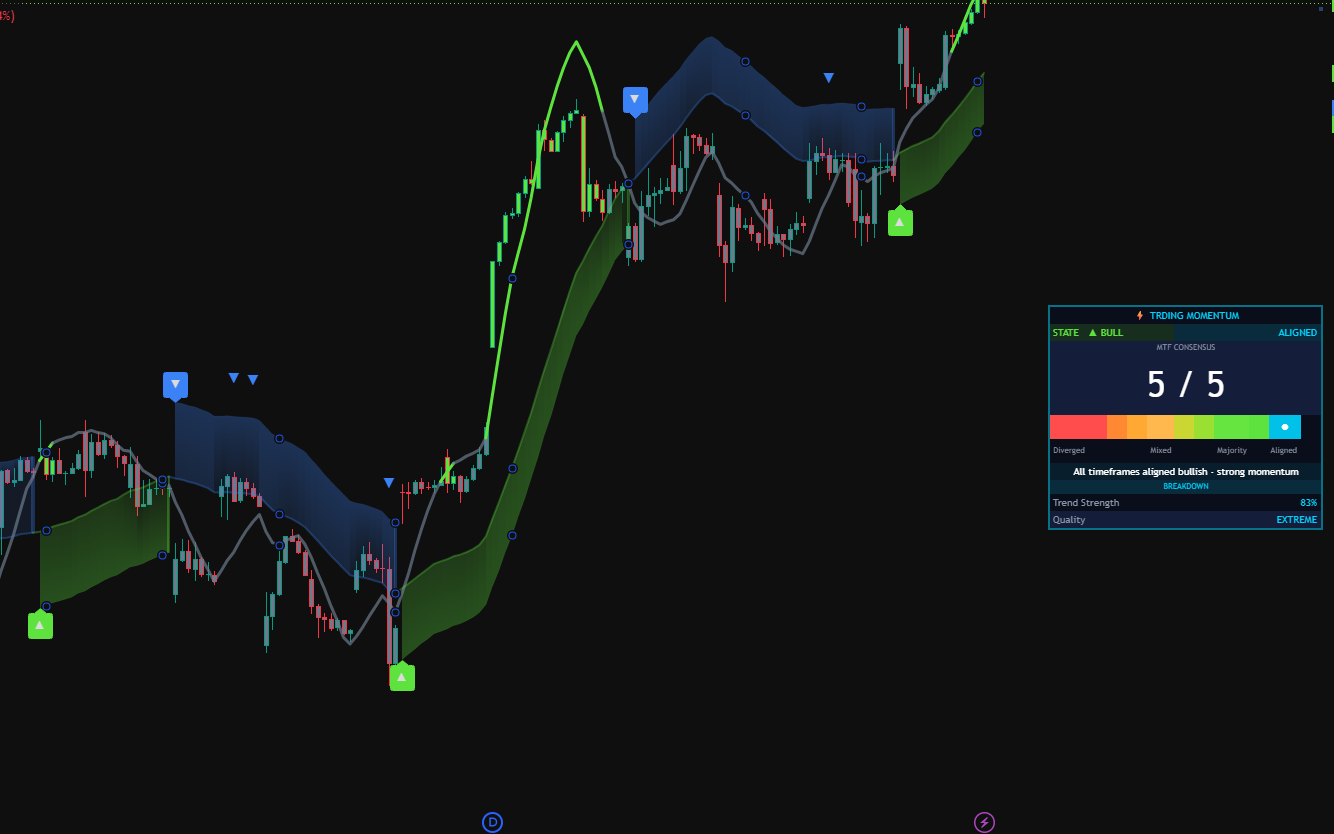
Trding Momentum
Reads the underlying trend curve so you know if the market is leaning long, short, or coiling.
Get the signal
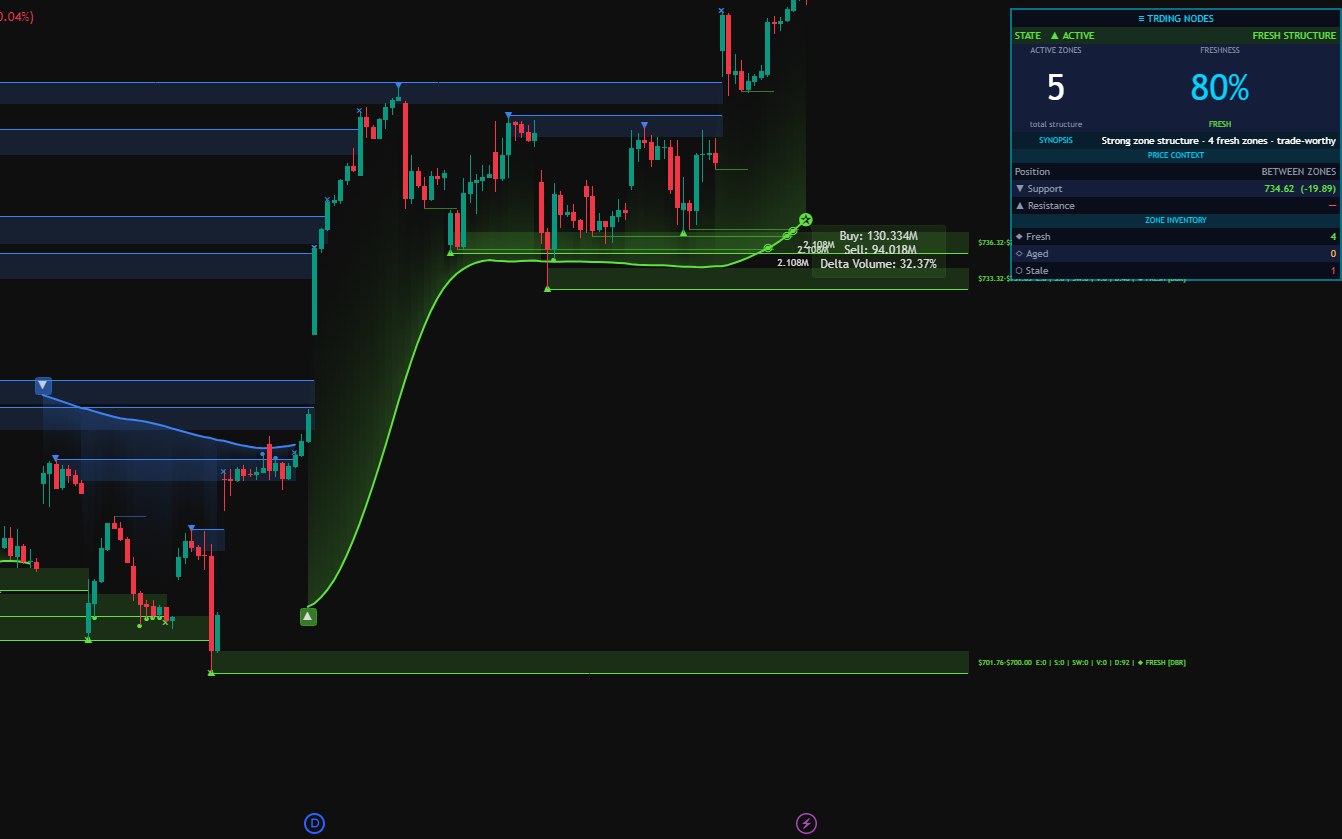
Trding Nodes
Pinpoints the exact bar where every setup rule aligns. This is the moment the market gives you the shot.
Trding Score (Signal Layer)
Shows the 0–10 setup grade as an oscillator wave. Signals + Pro subscribers see the setup and place the trade manually.
Trding Fire (Trade Layer)
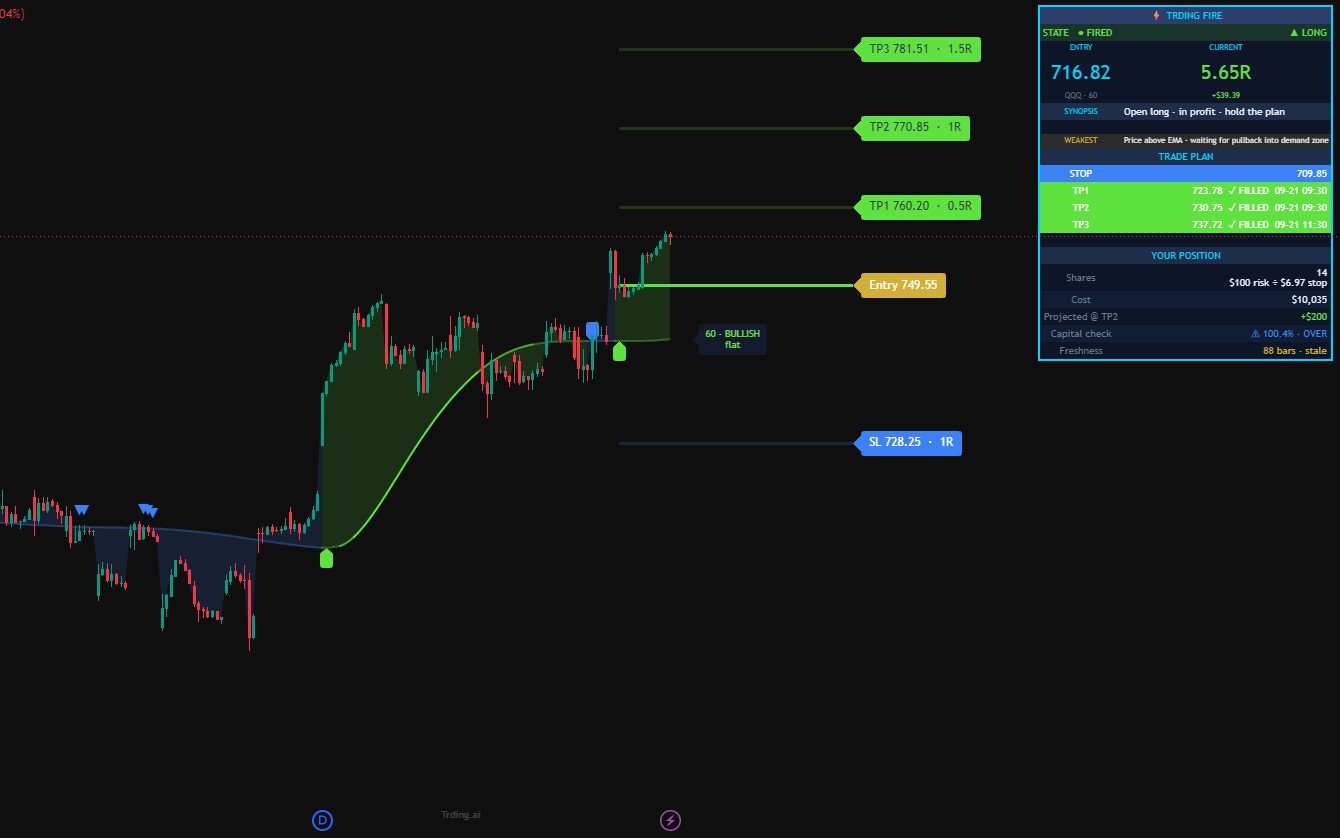
Scores every candle 0–10 and fires the automated trade at HIGH grade. Ultimate tier only — Entry, SL, and TP already set.
See multiple tickers
Trding Screener
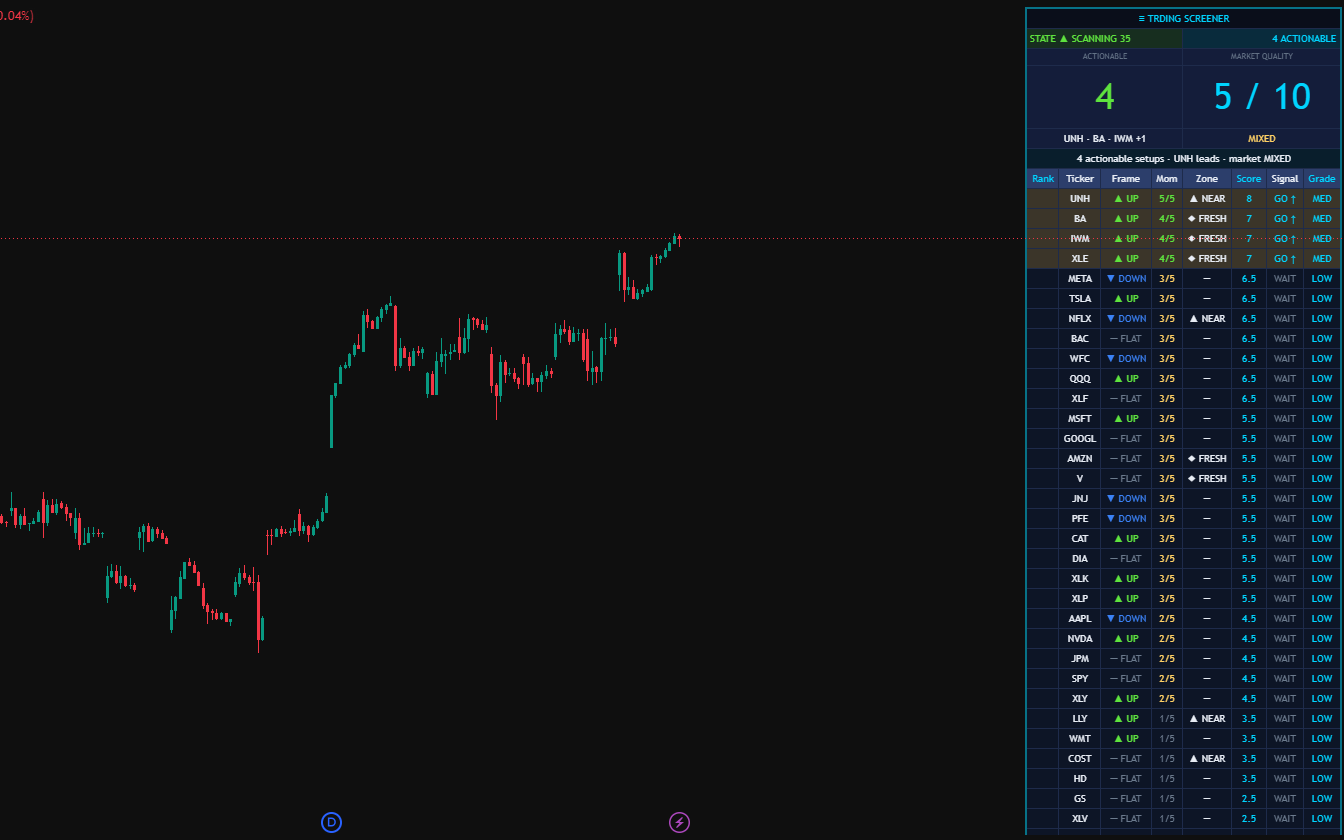
Watchlist heat-map with a live score per ticker. Find the highest-grade setup across your universe in one glance.
One reading pattern.
Six indicators. Zero guesswork.
Every Trding dashboard follows the same four-block pattern. Learn to read one, you can read all — because the methodology is baked right into the layout.
Pay for the layer you want.
Two layers. Signal Layer shows you the setup — you place the trade. Trade Layer adds Trding Fire, which fires the trade for you via TradersPost.
See the setup with 0–10 scoring. You place the trade manually.
- 4 indicators: Frame · Momentum · Nodes · Score
- 0–10 grading on every candle
- Signal alerts
- Library + Wizard access
Signals + multi-ticker Screener. For active discretionary traders watching a whole watchlist.
- Everything in Signals (4 indicators + Score)
- Trding Screener (multi-ticker heat-map)
- Friday weekly performance digest
- Pro member updates
Adds Trding Fire — the executable version of Score. The bot fires the trade while you sleep.
- Everything in Pro plus Trding Fire (auto-execution)
- Trding Fire (executable · Trade Layer only)
- Automated bracket-order execution via TradersPost
- Broker-neutral · Alpaca · TradeStation · Tradier · Robinhood · Tradovate · E*Trade (IBKR in beta)
Everything in Ultimate — Signal Layer + Trade Layer + Trding Fire — locked in forever. Pays back in ~13 months vs annual, ~10 months vs monthly. TradersPost ($49/mo) still paid direct to TP.
All plans cancel anytime. Annual plans billed once yearly · EXPO2026 locks the annual rate as your renewal rate forever.
Trade futures? Here's the stack.
All six indicators adapted for futures contracts. Separate product line, separate pricing, same Trding methodology.
All six indicators adapted for futures contracts (ES, NQ, YM, RTY, CL, GC, etc.). You read the setup, you place the trade with your futures broker.
- Trding Fire Futures · Frame Futures · Momentum Futures
- Trding Nodes Futures · Score Futures · Screener Futures
- 0–10 grading tuned for futures volatility
- Futures updates (new)
Everything in Trding Futures plus auto-execution. The bot fires the bracket into your futures broker via TradersPost. Sleep through the trade.
- Everything in Trding Futures (all 6 indicators)
- Automated futures execution via TradersPost
- Broker-neutral · NinjaTrader · Tradovate · TradeStation
- Launches Q1 2027 · expo attendees locked at $299 for life
Already trade stocks with us? Trding Futures is a separate subscription · no bundle discount currently · EXPO2026 works on both.
The trade-automation pipeline
Five stations. Left to right. Every real trade travels this whole line — no clicks required at Ultimate and up.
+ Layer 2 (Trade · Ultimate)
The numbers, without the tuning gloss.
We run our backtests on data before AND after the parameter tuning window — including the 2022 bear market. Here's what the Signal Layer produced on SOXL 1h with default settings.
Get the weekly setups.
Each Monday morning — the week's cleanest setups ranked by Trding Score, methodology insights, and what the bot shipped. One email. Zero fluff. Unsubscribe any time.
- Weekly setup picks with 0–10 Score grading
- Behind-the-scenes methodology deep-dives
- Bot performance recap — what fired, what didn't
- Early access to new indicators + feature drops