Allow Override in 3 steps
Flip three toggles in TradersPost, fire a test signal, done. About 3 minutes. Your Pine chart carries the full bracket — TradersPost just needs to accept it.
1What Allow Override does
One-line answer: it lets Pine's webhook payload set your sizing and bracket instead of TradersPost's UI defaults.
2Enable the toggles
Open your TradersPost Strategy Subscription and confirm 3 toggles are ON. TradersPost ships them ON by default — treat this as a verification pass.
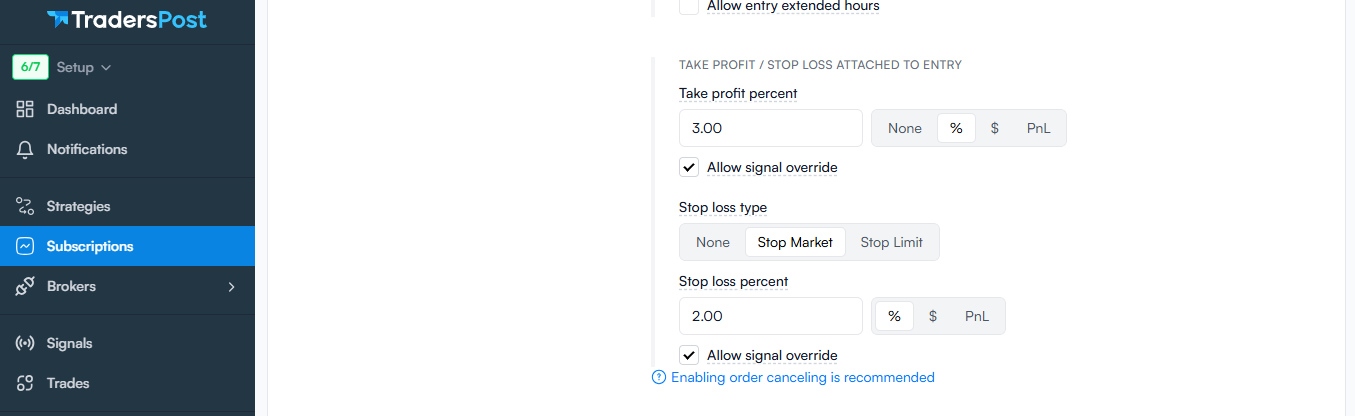
Confirm these are ON
Fallback values next to each toggle don't matter — Pine overrides them on every signal. Leave blank or default.
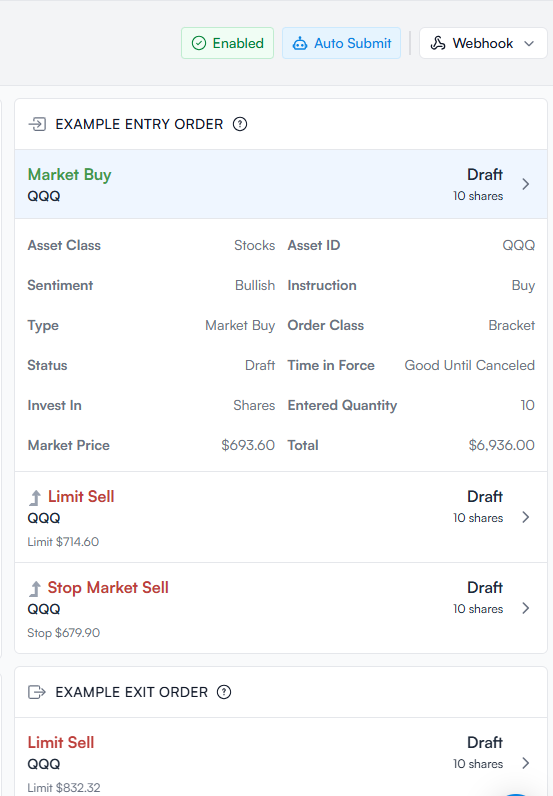
What the Pine payload contains
When Pine fires, it sends TradersPost these fields (all of which used to be TP UI settings):
quantityType: dollar_amountquantity: 200(your Pine input)orderType: markettakeProfit.limitPricestopLoss.stopPricetimeInForce,extendedHours,ticker,action
What if I want to override a Pine value?
3Verify with a test signal
Fire a dummy signal from TradersPost's own UI — no chart or webhook needed — and confirm the payload arrives with all the right fields.
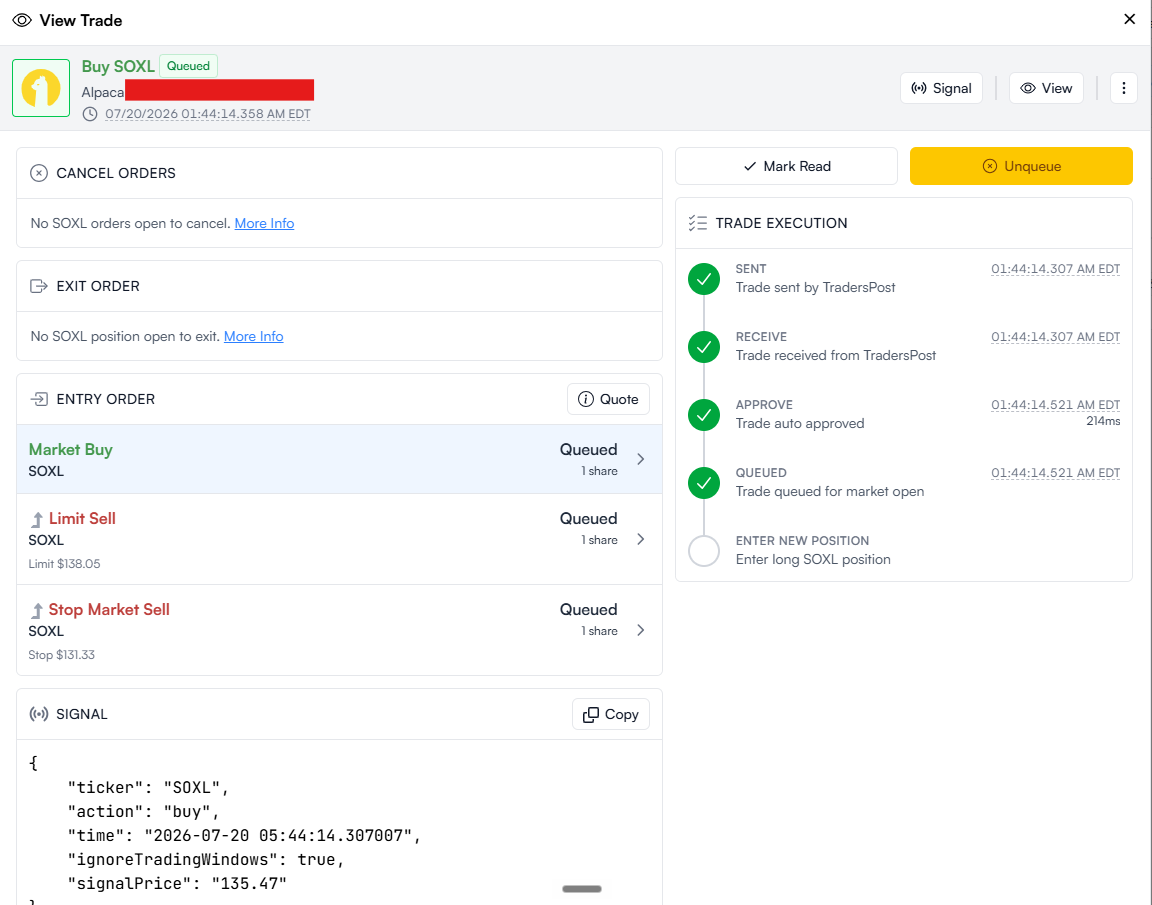
Fire test + inspect payload
- TradersPost → your Strategy → click … → Submit Signal.
- Watch the Signals log — new entry within 30 seconds.
- Click into the entry and verify these fields are present:
quantityType: dollar_amountquantity(dollar figure)takeProfit.limitPricestopLoss.stopPrice
- Check the entry status — Success means the toggles are wired correctly. Failed usually means a toggle is still OFF.
Ready for live trading? Set your Pine Dollar per trade input on the chart (right-click Trding Signal → Settings → Alerts group), then let the next real Trding Signal alert route through.

Set your Pine dollar amount
200 (or your budget)
Each TradingView chart has its own dollar amount — SOXL chart can run $200/trade while SPY chart runs $500/trade. No extra TradersPost setup needed.
If something isn't working
- Test signal shows "Failed" in Signals log — hover for the rejection reason. Most common: an Allow-override toggle got flipped OFF. Recheck Section 2.
- Test signal shows Success but no broker order — check that your Subscription is Enabled (green badge) and your broker connection is still authenticated (Alpaca needs periodic re-auth).
- Broker order fires but is wrong size — one of the 3 override toggles is OFF and TradersPost is using its fallback. Re-verify all 3.
- No test signal at all — you clicked Submit Signal but nothing appears. Confirm you're on the Signals tab of the right Strategy.
Stuck after fifteen minutes? Ask Trding.ai (chat bubble bottom-right) or book a 15-minute screen share via the Calendly card on your Welcome Hub.